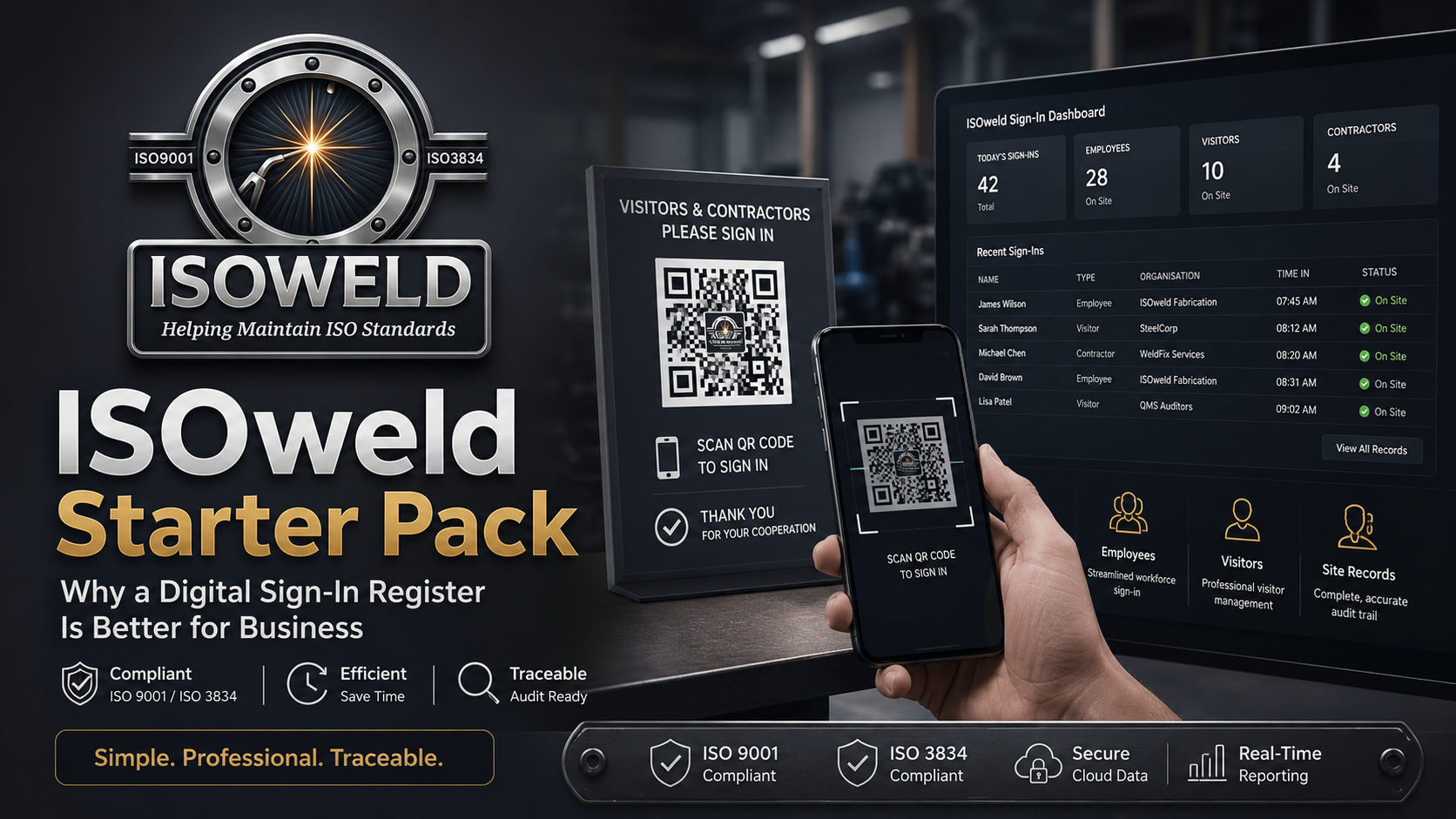
Introduction: Replace your paper sign-in book with the ISOweld digital Sign-In Register. Manage employees, visitors, contractors, emergency roll calls, signatures, QR records and PDF exports with the $19 Starter Pack.
Paper sign-in books have been used in workshops, factories and worksites for years. They are familiar, cheap to buy and easy to leave sitting at the front desk.
The problem is that when you actually need the information, the paper book can quickly become a liability.
Handwriting may be difficult to read. Someone may forget to sign out. Pages can be damaged, removed or lost. During an emergency, supervisors may waste valuable time trying to work out who is still on site. When an audit, incident investigation or customer request comes around, someone has to manually search through pages of records.
That is why we created the ISOweld digital Sign-In Register.
For just $19 with the ISOweld Starter Pack, businesses can begin replacing paper attendance records with a more professional, searchable and traceable digital system.
What Is a Digital Sign-In Register?
A digital sign-in register records who enters and leaves a workplace using an online system instead of a handwritten book.
With ISOweld, a business can display a secure QR sign-in poster at its entrance. Employees, visitors, contractors and delivery drivers scan the QR code using their phone and complete the relevant sign-in process.
The information is then stored in the company’s attendance register, where authorised administrators can see:
- Who is currently on site
- When each person signed in
- When they signed out
- Whether a session is still open or overdue
- The type of person who entered the site
- Their host, company, purpose or job details where applicable
- Signatures and location evidence when required
- The source of the attendance record
- A traceable reference for each individual record
Instead of searching through a paper book, administrators can search, filter and export the information from one central register.
Who Can Use the ISOweld Sign-In Register?
The ISOweld Sign-In Register is designed to manage more than just employees.
The same company-controlled portal can be used for:
Employees
Active employees can sign in using the company’s sign-in portal or their ISOweld employee card.
Employee cards are designed to be dual purpose. The QR can verify that the person is currently listed as an active employee and can also be used through the ISOweld login scanner.
Visitors
Visitors can record their name, contact information, host, reason for attending and acceptance of site requirements.
Contractors
Contractors can record their employer, purpose, host and other information needed by the site.
Delivery Drivers
Drivers and couriers can record their attendance without being treated as employees or general visitors.
Keeping these groups separate creates a clearer record of who entered the workplace and why they were there.
Why Replace a Paper Sign-In Book?
1. Know Who Is Currently on Site
A paper sign-in book only works when everyone remembers to sign out and someone manually checks it.
ISOweld gives administrators an on-site count and separates employees, visitors, contractors and delivery drivers. Open, overdue and unresolved attendance records are clearly identified.
This makes the register useful during normal operations and far more practical during an emergency.
2. Run an Emergency Roll Call
During an evacuation, you need more than a book full of names. You need a clear list of the people believed to be on site.
The ISOweld Emergency Roll Call function takes a snapshot of current attendance records. Each person can then be marked as:
- Accounted for
- Missing
- Left site
- Not applicable
- Still pending
This helps supervisors work through the list systematically instead of trying to interpret handwritten entries under pressure.
3. Search Records in Seconds
Digital attendance records can be filtered by information such as:
- Person’s name
- Employee
- Person type
- Attendance status
- Date range
- Sign-in source
- Company
- Host
- Purpose
- Job
- Record reference
This can save significant administrative time when preparing for an audit, reviewing an incident or answering a customer question.
4. Create Professional PDF Records
ISOweld can generate controlled PDF attendance reports using the selected records or the filters currently applied to the register.
The compact PDF layout keeps the information for each attendance event on one row, including its individual QR reference.
The full attendance PDF can include signatures, while the cover-sheet version provides the same filtered record list without the signature images.
Each record QR links back to the individual attendance record so an authorised ISOweld user can review the live information.
5. Export Data for Further Review
Attendance information can also be exported to CSV for searching, analysis or use in other business processes.
Depending on the company’s configuration, controlled attendance exports can also be stored or backed up through the company’s selected storage workflow.
6. Improve Traceability
Every attendance event receives its own record reference.
Rather than relying on a page number in a book, an administrator can trace a record back to the person, time, status, source and supporting information associated with that event.
Administrative corrections, sign-outs and other controlled changes can also be audit logged.
How ISOweld Helps with Compliance and Audit Readiness
A digital sign-in register does not automatically make a business compliant with every legal or ISO requirement. It does, however, make it much easier to maintain organised and traceable attendance information.
ISOweld has been developed around practical record-control principles that support businesses working toward stronger systems under standards such as ISO 9001 and ISO 3834.
The Sign-In Register can contribute to:
- Controlled workplace attendance records
- Traceability of site access
- Emergency visibility
- Record searching and retrieval
- Evidence retention
- Audit logging
- Consistent company processes
- Exportable documented information
The system is intended to help businesses demonstrate what happened, when it happened and which record supports it.
What Makes ISOweld Different?
There are plenty of digital visitor-management products available. Many are designed mainly for corporate reception areas, office buildings or large organisations.
ISOweld is being built specifically with Australian welding, fabrication, engineering, manufacturing and site-based businesses in mind.
Built for Industrial Workplaces
ISOweld is not just a digital reception book.
The Sign-In Register sits alongside workforce and compliance tools such as:
- Employee records
- Employee ID cards
- High-risk licences
- Qualifications
- Certifications
- Inductions
- Equipment registers
- Vehicle registers
- Safety documents
- Incident reporting
- Safety observations
- Delivery registers
- Materials and stock records
- Audit logs
As a business grows, its sign-in information can become part of a broader operational and compliance system instead of remaining isolated in a separate app.
Employees Are Linked to the Employee Register
Employees are managed through a company-specific Employee Register.
The company can control whether an employee is active, assign an employee ID, record their role and manage related competence information.
This is more useful than treating every worker as an unidentified visitor each day.
Dual-Purpose Employee Cards
ISOweld employee cards can be used to verify an active employee and support secure QR login.
That makes the card more than a printed name badge. It becomes a practical connection between the worker and the company’s live employee record.
One Portal for Different Types of People
Employees, visitors, contractors and drivers can use the same secured company portal while still being recorded under the correct attendance type.
This reduces the need to maintain several unrelated sign-in processes.
Company-Specific Branding and Settings
Each company can manage its own portal settings, site details, sign-in requirements, branding and permitted attendance types.
The system is designed as a multi-company platform while keeping company records separated.
Designed to Grow with Your Business
A small business may begin with a straightforward digital sign-in register.
Later, it may need better control over employee licences, equipment maintenance, vehicles, inductions, qualifications, documents, deliveries or audit evidence.
ISOweld is designed so businesses can begin with the essentials and expand their system as their requirements grow.
What Is Included in the ISOweld Starter Pack?
The $19 Starter Pack is intended to provide an affordable entry point for businesses wanting to move away from paper-based attendance management.
Businesses should check the current signup page for the latest inclusions, employee limits and plan conditions, as ISOweld is continuing to develop and improve.
The main goal of the Starter Pack is simple:
Help smaller businesses begin using a professional digital workforce system without having to commit to an expensive enterprise platform.
How to Get Started
Step 1: Create Your Company Account
Choose the ISOweld Starter Pack and complete the company registration process.
Step 2: Add Your Employees
Create an employee record for each worker who will use employee-linked sign-in features.
Make sure each employee:
- Belongs to the correct company
- Has an employee ID
- Has the correct role
- Is marked as Active
- Has an employee card generated where required
Step 3: Configure the Sign-In Portal
Set the site name, location, safety information and the types of people permitted to use the portal.
The business can also configure requirements such as GPS, signatures, host details and attendance receipts where available.
Step 4: Display the QR Poster
Print the ISOweld sign-in poster and place it at the main entry point.
People can scan the code with a phone rather than sharing a pen, touching a kiosk or searching for a paper book.
Step 5: Monitor the Register
Administrators can review:
- Everyone currently on site
- Employees on site
- Visitors
- Contractors
- Delivery drivers
- Overdue sessions
- Unresolved attendance records
- Today’s sign-ins and sign-outs
Step 6: Export and Retain Evidence
Apply the required filters, select specific records when necessary and generate a PDF, cover sheet or CSV export.
Is a Digital Sign-In Register Worth It for a Small Business?
A digital register is not only for large companies.
Smaller workshops and fabrication businesses can benefit because they often have fewer administrative staff. Saving time searching for records, checking who is present and preparing information for customers or auditors can make a noticeable difference.
For $19, the Starter Pack provides a low-cost way to begin improving attendance traceability without immediately investing in a large management system.
It can also help present a more professional image when customers, contractors or auditors visit the workplace.
Frequently Asked Questions
Do people need to install an app?
The sign-in portal is accessed through a QR code using a compatible phone browser. People generally do not need to install a separate app just to use the public sign-in portal.
Can ISOweld record visitors and contractors?
Yes. The portal can distinguish between employees, visitors, contractors and delivery drivers.
Can we see who is still on site?
Yes. Open attendance records are displayed in the register and contribute to the current on-site count.
Can we run an emergency roll call?
Yes. Administrators can create a roll call from the people currently recorded as being on site.
Can we export attendance records?
Yes. Records can be exported as controlled PDFs, cover sheets and CSV files.
Are signatures included in the PDF?
The full attendance PDF can include the signature recorded against each attendance event. The cover-sheet export lists the selected or filtered records without signature images.
Can each attendance record be verified?
Each exported row can include a QR linked to the individual attendance record. Access to the live administrative record remains protected by ISOweld authentication and company permissions.
What happens when an employee leaves the business?
The employee can be marked Inactive. Inactive employees are no longer treated as active company employees for employee-linked access and verification.
Is ISOweld only a sign-in register?
No. The Sign-In Register is one part of the wider ISOweld platform, which is being developed to help welding, fabrication, engineering and industrial businesses manage workforce, equipment, vehicles, documents and compliance records.
Move Beyond the Paper Book
A paper sign-in register may appear simple, but it becomes difficult to rely on when records need to be searched, verified or used during an emergency.
ISOweld gives businesses a more organised way to record attendance, monitor who is on site, run emergency roll calls and retain professional evidence.
With the $19 Starter Pack, businesses can begin building a better digital process without the cost and complexity of a large corporate visitor-management platform.
Ready to replace the paper sign-in book?
Choose the ISOweld Starter Pack, add your employees, display your company QR poster and start creating searchable, traceable attendance records.




Leave a Reply