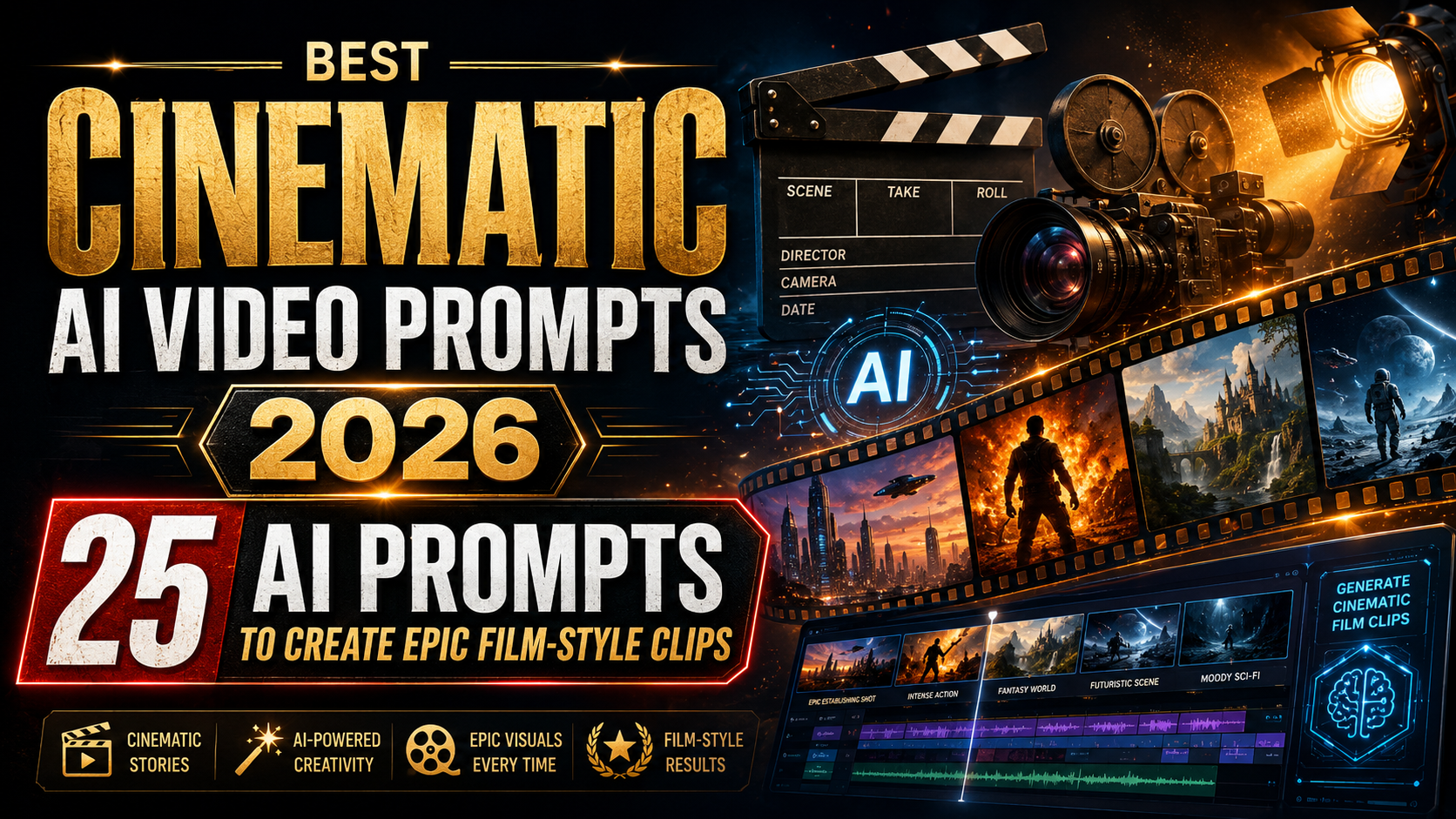
If you’re creating short films, social clips, concept reels or prototypes, these cinematic AI video prompts will save you time and get you consistent, film-style results. This guide is for video makers, content creators, game devs and designers who want practical, ready-to-use prompts for modern text-to-video tools. The focus here is on composition, camera motion, colour grading and directions that most AI video generators understand.
How to use these prompts
Start by copying a prompt into your text-to-video model. If the tool accepts advanced parameters (resolution, fps, seed) add them after the prompt. Tweak lens, duration and emphasis phrases to match your tool’s syntax. I include camera lenses, motion, lighting, mood and a short creative twist so each prompt is useful out of the box.
1. Rainy neon chase — film noir, slow dolly
A tense night-time urban chase with slick reflections, shallow depth of field and a slow dolly-in to the protagonist’s face. Great for moody trailers or short scenes.
Prompt
Scene: Rain-soaked neon street at night, protagonist running between wet storefronts, reflections vivid on asphalt. Camera: slow dolly-in, 50mm lens, shallow depth of field, 24fps. Lighting: high-contrast neon key lights (magenta, cyan), soft rim light. Colour: teal-and-orange cinematic grade, subtle film grain. Motion: handheld feeling but smooth dolly, occasional whip pan. Duration: 12 seconds. Mood: tense, noir, cinematic. Output: 16:9, 4K, detailed textures, realistic human movement.
2. Golden-hour portrait reveal — intimate, cinematic close-up
Soft golden-hour lighting and a gentle rack focus that reveals emotion on the subject’s face. Use for music videos or short character beats.
Prompt
Scene: Close-up portrait on a subject at golden hour in a field, warm rim light and soft backlight. Camera: 85mm lens, slow rack focus from background to eyes, 24fps. Lighting: warm sunlight, slight lens flare, soft bounce fill. Colour: warm cinematic grade, gentle skin tones. Motion: slow push-in, natural micro-movements. Duration: 10 seconds. Output: 2.39:1 widescreen, 4K, shallow focus, photoreal.
3. Cyberpunk street sequence — neon crowd, wide lens
Busy future city vibe with towering holo-ads and rain; wide-angle framing to show scale and atmosphere.
Prompt
Scene: Densely packed cyberpunk night market, towering holograms and wet neon streets, varied pedestrians. Camera: 24mm wide lens, gentle crane movement sweeping left to right, 24fps. Lighting: neon signage in magenta, cyan, electric blue; volumetric fog. Colour: high-saturation cyberpunk grade, high contrast. Motion: smooth crane with occasional handheld inserts. Duration: 15 seconds. Output: 16:9, 4K, cinematic depth, detailed background animation.
4. Epic sci-fi ship approach — wide scope, cinematic VFX
A slow, awe-inspiring approach to a massive starship with rim-lit hull detail and dramatic cloud layers.
Prompt
Scene: Enormous sci-fi ship emerging from cloud bank above a planet, sunlight glinting on hull. Camera: long telephoto compression, slow approach with slight orbit, 24fps. Lighting: harsh directional sunlight with atmospheric scattering. Colour: desaturated, cold cinematic grade. Motion: slow cinematic move emphasizing scale. Duration: 18 seconds. Output: 2.39:1, 6K-like detail, photoreal VFX, subtle lens bloom and volumetric dust.
5. Slow-motion rain portrait — dramatic droplets, backlight
Use ultra-slow-motion style with crisp droplets and strobed backlight for dramatic effect.
Prompt
Scene: Subject standing in heavy rain under a single backlight, droplets visible mid-air. Camera: 100mm macro feel, high-speed slow motion look, 120fps equivalent. Lighting: strong backlight with soft fill, visible rim highlight through droplets. Colour: muted tones with contrasty blacks. Motion: frozen droplets, micro facial expressions. Duration: 8 seconds. Output: 16:9, 4K, hyper-detailed water physics, cinematic grain.
6. Documentary-style interview — honest, handheld warmth
Naturalistic interview setup with slight handheld motion and clean audio-focused framing (visual only here).
Prompt
Scene: Mid-shot interview in a modest living room, subject seated slightly off-centre. Camera: 35mm lens, over-the-shoulder insert option, 24fps. Lighting: soft key from window, warm practical lamps. Colour: natural grade, modest contrast. Motion: light handheld for intimacy, occasional cutaway to hands. Duration: 12 seconds loopable. Output: 16:9, 4K, realistic skin tones, documentary feel.
7. Haunted house corridor — creeping horror atmosphere
Slow push down a long corridor with flickering lights and unsettling subtle details for horror short sequences.
Prompt
Scene: Narrow, decrepit corridor in old house, peeling wallpaper, flickering overhead lights. Camera: slow steady push, 50mm lens, 24fps. Lighting: low-key with cold blue fill, occasional warm practical light flicker. Colour: desaturated grade with green tinge. Motion: creeping push-in, subtle handheld jitter. Duration: 14 seconds. Output: 16:9, 4K, eerie ambience, faint distant sound design implied.
8. Romantic rooftop dance — skyline, golden hour
Two characters dancing at sunset with city skyline behind; graceful crane and wide lens for cinematic romance.
Prompt
Scene: Couple dancing on a rooftop terrace at sunset, city skyline in soft focus behind. Camera: crane wide-to-close, 35mm to 85mm transition, 24fps. Lighting: warm sunset backlight, soft fill on faces. Colour: pastel cinematic grade, warm highlights. Motion: smooth crane with intimate close-ups. Duration: 16 seconds. Output: 2.39:1, 4K, romantic, gentle film grain.
9. Sports slow-mo slam — dynamic energy, crisp motion
Capture the peak moment of action in crisp slow motion with dramatic low-angle framing.
Prompt
Scene: Athlete mid-leap for a slam dunk (or similar peak action), dramatic low-angle shot. Camera: 35mm with ultra-slow motion effect, 120fps equivalent. Lighting: arena lights, high contrast, strong rim. Colour: punchy cinematic grade, vivid highlights. Motion: frozen peak frame with motion blur on edges. Duration: 6 seconds. Output: 16:9, 4K, hyper-detailed textiles and sweat particles.
10. Drone sunrise over cliffs — cinematic aerial reveal
Slow drone lift reveals dramatic coastline at sunrise with volumetric light beams for epic travel content.
Prompt
Scene: Drone ascending from cliff base to reveal sweeping coastline at sunrise, crashing waves below. Camera: smooth drone crane, long lens for compression, 24fps. Lighting: warm sunrise rim light with god rays through mist. Colour: cinematic Vivid Warm grade, high dynamic range. Motion: steady ascending reveal, slight gimbal sway. Duration: 20 seconds. Output: 16:9, 6K feel, photo-real textures, cinematic atmosphere.
11. Underwater bioluminescent swim — dreamlike, soft glow
Surreal underwater sequence with glowing plankton and slow, balletic camera movement.
Prompt
Scene: Diver moving through bioluminescent water, particles glowing with each motion, soft bubbles. Camera: smooth tracking with slight orbit, 35mm underwater feel, 24fps. Lighting: internal bioluminescent glow as primary light, cool blue fill. Colour: deep blues with neon cyan highlights. Motion: serene, balletic pacing. Duration: 14 seconds. Output: 16:9, 4K, cinematic underwater particles, photoreal render.
12. Retro 16mm montage — grainy, nostalgic travel edit
Create an old-school travel montage with authentic film grain, jitter and colour shifts for nostalgia.
Prompt
Scene: Series of travel vignettes: train station, cafe, street market, sunset shot. Camera: varied handheld 16mm look, jitter and shutter artifacts, 24fps. Lighting: natural daylight with warm pushes and subtle fading. Colour: faded vintage grade, film grain, light leaks. Motion: montage cuts, jump-cuts, and playful speed ramps. Duration: 20 seconds. Output: 4:3 or 16:9 with 16mm simulation, organic imperfections, nostalgic tone.
13. Fantasy forest reveal — magical particles, godlight
A lush forest with shafts of light and floating motes; a slow dolly reveals an ancient ruin or clearing.
Prompt
Scene: Dense mossy forest clearing with ruins and faint floating motes, morning godlight. Camera: slow dolly and gentle crane, 50mm lens, 24fps. Lighting: strong volumetric light shafts, soft ambient fill. Colour: rich greens, slightly heightened saturation, cinematic warmth. Motion: slow reveal with fluttering particles. Duration: 18 seconds. Output: 16:9, 4K, fairytale cinematic detail.
14. Stop-motion puppet sequence — stylised tactile feel
Simulate stop-motion charm with slightly choppy frames and handcrafted texture for indie projects.
Prompt
Scene: Small puppet character exploring a tiny handcrafted room, deliberate pose-to-pose movement. Camera: slightly jerky frame-by-frame feel, 12fps simulation, macro attention to textures. Lighting: warm practical lamps, soft shadows. Colour: muted pastel grade, tactile paper and fabric textures. Motion: stepwise stop-motion cadence. Duration: 12 seconds. Output: 4:3 or 1:1, handcrafted aesthetic, visible seams and thread textures.
15. Futuristic city fly-through — hyper-detailed VFX panorama
A fast-paced fly-through between skyscrapers with holographic signage and bustling elevated transit.
Prompt
Scene: High-speed fly-through between futuristic skyscrapers, digital billboards and sky-traffic. Camera: fluid long take, 24fps, with depth-of-field moves. Lighting: mixed cool neon and warm interior lights, volumetric haze. Colour: high-contrast cinematic grade, slight chromatic aberration. Motion: dynamic speed changes and whip-pans. Duration: 22 seconds. Output: 16:9, 6K-like detail, realistic city VFX and reflective surfaces.
16. Starfield timelapse — celestial motion, slow zoom out
Use for sciencey or contemplative projects, a slow timelapse of star movement and Milky Way rotating.
Prompt
Scene: Night sky timelapse showing star trails and Milky Way arching, foreground silhouette of lone tree. Camera: long exposure timelapse simulation, slow zoom out, 24fps look. Lighting: natural starlight and faint moon glow. Colour: cool deep blues with subtle magentas in the Milky Way. Motion: smooth timelapse progression. Duration: 25 seconds. Output: 16:9, 4K, high-detail starfields, subtle atmospheric haze.
17. Animated title sequence — kinetic typography and motion blur
Short, punchy title animation with bold typography and seamless transitions for intros.
Prompt
Scene: Bold sans-serif title blocks animating across a textured backdrop with light leaks. Camera: dynamic parallax moves, 24fps. Lighting: accent rim lights and subtle spot glows. Colour: high-contrast grade with brand colour accents. Motion: kinetic cuts, motion blur, smooth easing. Duration: 8 seconds. Output: 16:9, 4K, crisp typography, cinematic motion design.
18. Product cinematic reveal — glossy, dramatic lighting
Highlight a product with macro detail, reflective surfaces and dramatic rim lighting to maximise perceived quality.
Prompt
Scene: High-end product on rotating pedestal with glossy reflections and moving lights. Camera: macro 50-100mm feel, slow orbit, 24fps. Lighting: dramatic rim lights and soft key to reveal contours. Colour: clean high-contrast grade, neutral background. Motion: slow reveal with subtle focus pulls. Duration: 12 seconds. Output: 2.39:1, 4K, photoreal materials, crisp specular highlights.
19. First-person chase — POV run with motion blur
Energetic first-person run through alleyways or a forest, with head bob and reactive lighting to heighten immersion.
Prompt
Scene: First-person POV sprint through narrow alleys, dodging obstacles, dust and debris. Camera: shaky head-bob, wide 24mm feel, motion blur emphasis, 24fps. Lighting: uneven practical lights, neon spill, occasional flare. Colour: gritty cinematic grade. Motion: intense, fast cuts possible. Duration: 14 seconds. Output: 16:9, 4K, immersive POV energy.
20. Music video montage — rhythmic cuts and lens flares
Synced visual montage with rhythmic cuts, stylised colour shifts and tasteful flares for a short music promo.
Prompt
Scene: Series of rhythmically-cut performance and lifestyle shots synced to a driving beat, varied locations. Camera: mixed lenses, punchy zooms and speed ramps, 24fps. Lighting: stage-style lighting and practicals, accent flares. Colour: bold saturated grade with selective desaturation. Motion: cut-to-beat pacing with creative transitions. Duration: 30 seconds (montage loopable). Output: 16:9, 4K, energetic music edit vibe.
21. Hyper-lapse drive through city — fast motion, trailing lights
Accelerated city drive with motion streaks and trailing headlights for dynamic opener sequences.
Prompt
Scene: Fast hyper-lapse from driver perspective through a city at night, headlight streaks and motion trails. Camera: stabilized hyper-lapse, 24fps equivalent, long shutter streaks. Lighting: city light streaks and reflections. Colour: neon-tinted cinematic grade. Motion: rapid forward motion with occasional slowdowns for points of interest. Duration: 18 seconds. Output: 16:9, 4K, dramatic motion streaks.
22. Macro nature study — dew, insect movement, shallow DOF
Beautiful macro details with extremely shallow depth-of-field and crisp texture — great for nature shorts.
Prompt
Scene: Close-up of dew on a leaf with a tiny insect moving, extreme macro detail. Camera: 100mm macro feel, ultra-shallow DOF, 60fps look for smooth micro-movement. Lighting: soft natural fill and tiny specular highlights. Colour: vivid greens and natural tones. Motion: gentle focus pulls and micro pans. Duration: 10 seconds. Output: 4K, photoreal macro textures, insect micro-motion detail.
23. Virtual set talk show — sleek, branded environment
Create a polished virtual studio environment with branded set pieces and cinematic camera cuts for presenters.
Prompt
Scene: Sleek virtual studio with presenter at desk, large LED backdrop showing animated b-roll. Camera: multi-angle switch (wide, 3/4, close), 24fps. Lighting: studio key, fill and hair light, soft shadows. Colour: consistent broadcast-grade colour, subtle vignette. Motion: smooth cutting between angles, occasional dolly-ins. Duration: 20 seconds. Output: 16:9, 4K, broadcast-safe grade, polished look.
24. Split-screen parallel story — mirrored actions, thematic contrast
Two parallel moments shown side-by-side to compare or contrast characters, useful for storytelling beats.
Prompt
Scene: Split-screen showing two characters in different locations performing mirrored actions, synchronized editing. Camera: matching lenses on both sides, 24fps. Lighting: contrasting colour temperatures to differentiate scenes. Colour: split-colour grade for contrast. Motion: synchronized cuts and matched pacing. Duration: 20 seconds. Output: 16:9 split-screen, 4K per panel, narrative clarity.
25. Quiet aftermath — long take, reflective mood
A contemplative long take after a big event, focusing on small details and environmental sounds to land an emotional beat.
Prompt
Scene: Empty street at dawn after a storm, discarded items and small puddles, soft ambient light. Camera: long single take with slow push and subtle crane, 50mm lens, 24fps. Lighting: soft early-morning light, gentle highlights. Colour: muted palette with warm accents. Motion: patient, observational. Duration: 22 seconds. Output: 16:9, 4K, cinematic stillness and texture detail.
Practical tips for better results
- Start with a clear primary instruction (scene + camera + mood) and layer details afterwards: lighting, lens, motion, colour grade and duration.
- When possible add a frame rate and aspect ratio (24fps, 2.39:1) so the AI matches cinematic proportions.
- Use specific lens focal lengths to control depth: 85mm for flattering portraits, 24mm for wide cityscapes, 100mm+ for macro drama.
- Shorten prompts for iterative testing; add detail as you converge on a look. Keep a stable seed if the tool supports it to reproduce consistent shots.
- Combine these prompts with your own reference images or colour LUTs when supported to get closer to your target aesthetic.
- Watch out for uncanny human movement. If faces or limbs look off, add direction like “natural human gait” or reduce ultra-slow-motion to improve realism.
Related reading
- Best ChatGPT Prompts for Teachers (2026) — useful if you’re teaching students about AI video tools.
- Best free AI tools for after-school STEM clubs in Australia (2026) — tools and ideas you can adapt for classroom video projects.
- Top 10 ChatGPT AI Prompts Everyone Should Try (2026 Edition) — complementary prompts for planning and scripting video projects.
- Best ChatGPT Prompts for Etsy Sellers (2026) — tips that can help if you’re creating product videos.
FAQ
How do I adapt these cinematic AI video prompts to different text-to-video models?
Most models accept plain-language scene descriptions; add or remove technical params depending on support. If a model allows resolution, fps or seed parameters, append them after the prompt. If it supports reference images, include those to guide style and lighting.
Can I use these prompts for client work or commercial projects?
Yes, but check the licensing and output rights of whatever AI tool you use. The prompts themselves are ideas and can be used to guide production; the generated assets’ commercial use depends on the model’s terms.
Why do some outputs look uncanny or have odd anatomy?
That comes from model limitations with complex human motion or close-up anatomy. Try wider shots, fewer extreme faces, or add phrases like “realistic human anatomy” and reduce ultra-slow-motion settings. Iterative prompting and reference images help.
How do I make generated footage blend with live-action plates?
Match camera lens, grain, shutter angle and colour grade between your live footage and generated clip. Use tracking passes and consistent motion blur to help the AI clip sit naturally in the edit.
What file formats and framerates should I export for editing?
Export at the highest resolution and frame rate your tool supports (4K or 6K at 24/25/30fps is common). Use lossless or high-bitrate codecs for compositing then transcode for delivery.
How can I iterate quickly when the first output isn’t right?
Change one variable at a time: swap lens, tweak lighting or adjust motion. Keep a prompt history and use seeds if available. Small wording shifts often make big visual differences.
Final thoughts
These cinematic AI video prompts are designed to get you to a strong visual starting point fast. Use them as templates—tweak lens choices, duration and grading to match your tool and taste. With practice you’ll be able to chain prompts together to storyboard longer sequences or build consistent visual worlds.
Want more prompt packs or a version for social-format vertical videos? Tell me what you want to create next and I’ll put together a focused set you can paste straight into your tool.
Leave a Reply