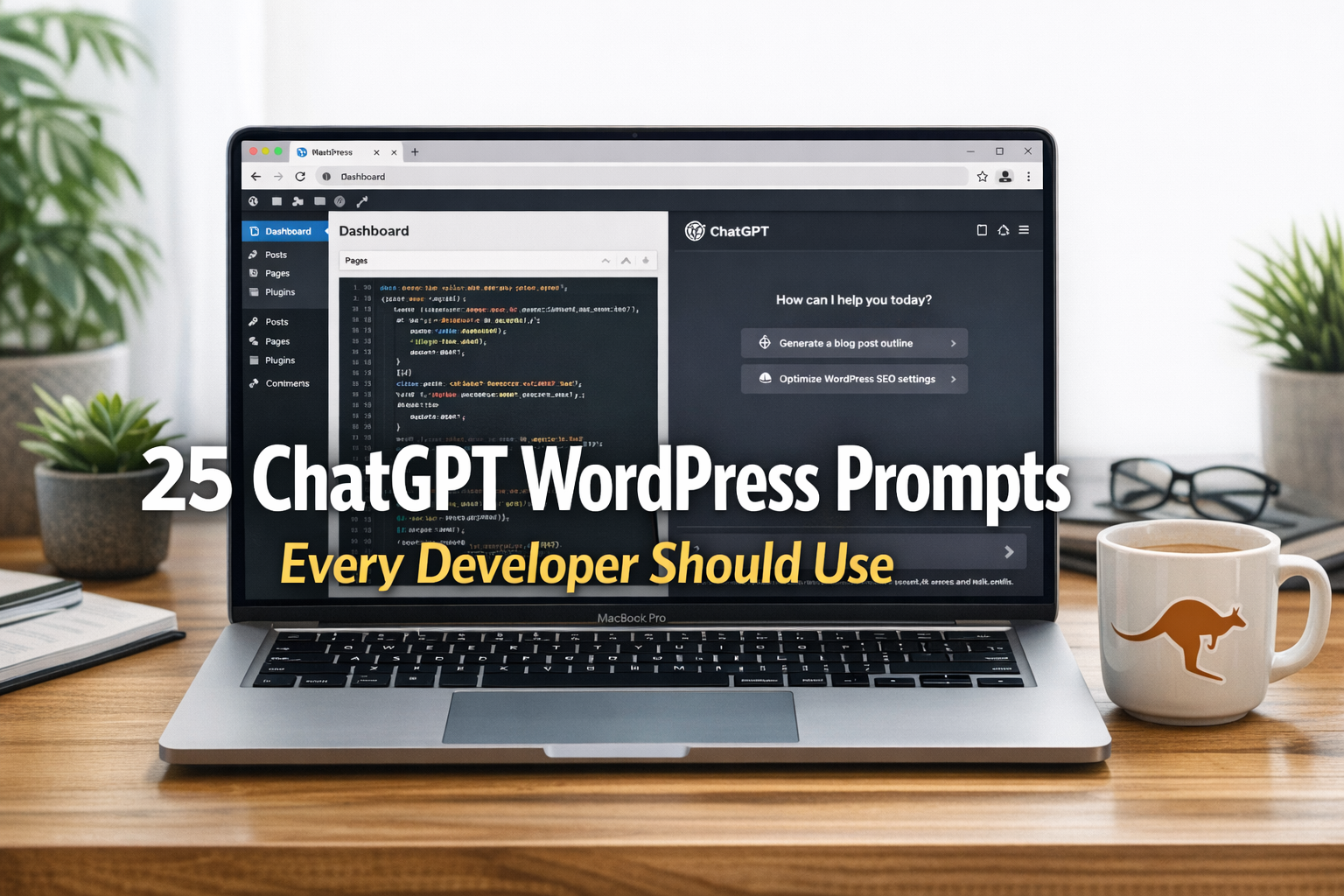
These 25 ChatGPT prompts are tuned for real WordPress development tasks. Paste any prompt into ChatGPT (or your preferred LLM), add your site specifics, and get useful code, checklists and explanations you can adapt. Each prompt below includes a short explanation and a ready-to-use prompt you can copy straight into the chat.
1. Generate a WordPress plugin scaffold
Quickly create a production-ready plugin scaffold with proper headers, activation and deactivation hooks, basic sanitisation, and a readme. Useful when starting a project or sharing a template with teammates.
Prompt
Create a WordPress plugin scaffold for PHP 8.2+ and WordPress 6.5+. Include: plugin main file with plugin header, PSR-4 compliant class autoloading, activation and deactivation hooks, an admin settings page, text domain for translations, basic sanitisation and nonce checks, and a readme.txt example. Output a file tree and each file content in separate code blocks with filenames. Keep comments concise and include commands to zip the plugin for distribution.
2. Register a custom post type with REST API support
Generate code to register a CPT with meta fields and custom REST API endpoints to handle additional data. Good for headless or hybrid sites.
Prompt
Write PHP code to register a custom post type called “project” with labels, supports (title, editor, thumbnail, custom fields), an example meta box for “client_name”, and register REST API endpoints under /wp-json/custom/v1/projects to list, create and update projects including meta. Include permission callbacks, input sanitization and example curl commands to test the endpoints. Return only code blocks with filenames where relevant.
3. Create a Gutenberg block (ESNext) with build setup
Scaffold a modern Gutenberg block using React, ESNext, webpack or Vite, and provide PHP registration for the block. Includes linting and build scripts.
Prompt
Generate a Gutenberg block plugin scaffold using React and ESNext. Provide package.json, Vite (or webpack) config, src files for block registration and edit/save components, PHP code to register the block assets and an example block style. Include ESLint and Prettier configs, build and dev scripts, and brief instructions to run dev mode and build for production. Output files in a file tree and show file contents in code blocks.
4. Shortcode that prints responsive images with srcset
Make a shortcode that outputs accessible responsive image markup using built-in WordPress image sizes and supports lazy loading.
Prompt
Write a WordPress shortcode called [responsive_image id=123 alt=”…”] that outputs responsive image markup using wp_get_attachment_image_srcset and wp_get_attachment_image_url. Include attributes for sizes, class, lazyload, and alt fallback. Sanitize inputs, escape outputs and include example usage in a post. Return only PHP code inside a code block and a brief explanation commented at the top.
5. Create a custom WP-CLI command
Generate a WP-CLI command for common admin tasks such as regenerating thumbnails or migrating metadata. Good for automation and CI.
Prompt
Provide a WP-CLI command class that registers a command “myplugin regenerate-thumbs” which regenerates thumbnails for attachments matching a year range. Include progress output, error handling and an optional –dry-run flag. Show how to register the command in the plugin and example usage. Return PHP code only.
6. Debug a PHP fatal error — diagnosis and fix
Paste an error log and get a prioritized diagnosis, likely root cause and a safe patch. Useful for triage on production or staging.
Prompt
I have this PHP fatal error log: [paste error message here]. Analyse the stack trace and error text, list the most likely causes in order, and provide a minimal safe patch or test steps to confirm the fix. Explain why the fix works, any security implications, and how to test on staging before deploying.
7. Performance audit checklist with plugin suggestions
Ask for a concise performance audit listing actionable fixes, caching, CDN, DB tuning and plugin recommendations tailored to small-to-medium WordPress sites.
Prompt
Perform a performance audit for a WordPress site on shared hosting aiming for under 2s TTFB and sub-3s load. Provide prioritized action items: server-level (PHP-FPM, OPcache), caching (page, object), CDN, image optimisation, DB indexes, plugin bloat, and suggested plugins or tools. For each item list commands, composer/npm packages if needed, and an approximate effort/time estimate (low/medium/high).
8. Security hardening checklist and sample .htaccess rules
Request a security checklist with specific .htaccess rules, WP constants, plugin hardening and suggestions for scanning.
Prompt
Provide a WordPress security hardening checklist for a standard Apache + PHP-FPM setup. Include wp-config.php constants to set, recommended plugins, server .htaccess rules to block common exploits, file permissions guidance, and steps for securing admin and REST endpoints. Show full example .htaccess snippets and explain any tradeoffs.
9. SQL migration script for metadata normalization
Generate safe SQL queries and a rollback plan to move data between meta keys or consolidate repeated meta values.
Prompt
Write a tested SQL migration to move meta key “old_key” to a new meta key “new_key” for posts of type “project” while preserving serialized arrays. Include a safe transaction, a SELECT to preview changes, and a rollback SQL. Add notes about running on large tables and when to use WP-CLI to chunk updates.
10. WooCommerce: add and save a custom checkout field
Add a checkout field, save it to order meta, and display it in the admin order screen and emails.
Prompt
Create code to add a custom checkout field “delivery_instructions” to WooCommerce checkout, validate and save it to order_meta, show it on the admin edit order page, and include it in order confirmation emails. Use proper sanitisation and compatibility with WooCommerce 8+. Provide code snippets and hooks used.
11. Accessibility audit for a theme template
Get a checklist and code fixes for common accessibility issues in a theme template: landmarks, ARIA, headings and keyboard focus.
Prompt
Review the following theme template (paste HTML/PHP code). Provide an accessibility audit listing issues and fixes prioritised by impact. Include code examples to fix headings structure, semantic landmarks, skip links, ARIA attributes, focus management and colour contrast improvements.
12. Build a complex WP_Query for custom filters
Ask for a performant WP_Query that combines tax_query, meta_query, ordering and pagination with caching suggestions.
Prompt
Write a performant WP_Query to return “project” posts filtered by custom taxonomy “region” and meta fields “budget_min” and “budget_max”, ordered by a numeric meta “priority” desc, with pagination. Use meta_query comparisons, prevent SQL injection, and suggest transient caching or object cache usage. Provide example code and explain edge cases.
13. Convert widget areas to block theme patterns
Help convert classic widget regions to block theme patterns including JSON for patterns and PHP for theme.json registration.
Prompt
Given a classic sidebar with HTML and widgets (paste code), create equivalent block theme patterns and show theme.json snippets to register them. Provide JSON pattern files and explain how to migrate content from widgets to full-site editing patterns safely.
14. ACF field group JSON plus PHP display templates
Generate ACF JSON configuration and template PHP to render fields with fallbacks and escaping.
Prompt
Generate an ACF field group JSON for a “project_details” group containing fields: client_name (text), budget (number), gallery (gallery), and launch_date (date). Provide example PHP template code to render each field safely with fallbacks and markup suitable for accessibility. Include notes for exporting/importing the JSON.
15. Create a child theme with overrides and best practices
Scaffold a child theme with enqueueing style correctly, overriding templates and adding custom functions without touching the parent.
Prompt
Produce a child theme scaffold for a parent theme “example-theme”. Include style.css header, functions.php to enqueue parent and child assets properly, a sample template override for single.php and recommended hooks to use instead of template file edits. Add notes about keeping customisations upgrade-safe.
16. Internationalise a theme and generate POT/POT example
Help prepare theme strings for translation and produce example .pot entries and usage instructions for Poedit or WP-CLI.
Prompt
Show how to internationalise a theme: replace hard-coded strings with esc_html__ and _x where needed, generate a .pot example for a few strings and give WP-CLI commands to extract strings. Include best practices for translator comments and text domains.
17. Diagnose and fix email deliverability issues
Get step-by-step checks for wp_mail failures, SMTP setups, SPF/DKIM/DMARC and common plugin issues.
Prompt
My WordPress site is not reliably sending transactional emails with wp_mail. Provide a step-by-step troubleshooting guide: check logs, test wp_mail directly, recommend SMTP providers and plugins (no marketing fluff), show example PHPMailer transport config and how to validate SPF, DKIM and DMARC DNS records. Include a sample verification curl command for SMTP.
18. Generate sitemap.xml and robots.txt recommendations
Request a sitemap generation strategy and robots rules for SEO and crawl management, with examples for multisite or staging environments.
Prompt
Generate a sitemap strategy for a WordPress site with posts, projects, paginated archives and images. Provide example sitemap.xml templates, autosubmission steps to Google Search Console, and a robots.txt with useful rules for production and staging. Mention how to exclude low-value pages and rate-limit crawlers if needed.
19. Replace wp-cron with system cron safely
Get a safe migration plan from WP-Cron to real cron, including sample crontab entries and fallbacks.
Prompt
Explain how to disable WP-Cron in wp-config.php and set up a system cron to call wp-cron.php every 5 minutes. Provide a crontab line, explain concurrency issues and show how to test and monitor scheduled tasks. Include fallback instructions for sites behind caching reverse proxies.
20. Git commit message guidelines and CI pipeline for WordPress
Generate conventional commits and a sample CI pipeline to run PHPUnit, PHPCS, ESLint and deploy on merge.
Prompt
Provide Git commit message examples following Conventional Commits for WordPress projects and generate a sample GitHub Actions (or GitLab CI) pipeline to run PHPunit, PHP_CodeSniffer with WordPress ruleset, ESLint for JS, and run deployment steps on main branch. Include caching tips for Composer/npm to speed CI.
21. Create PHPUnit tests for a plugin and a front-end test
Ask for unit tests for plugin logic and a simple browser test for critical front-end flows using Playwright or Puppeteer.
Prompt
Generate PHPUnit tests for a plugin class that computes project budgets with rounding and edge cases. Include bootstrap config and example assertions. Also provide a Puppeteer (or Playwright) test to verify form submission and success message on the front-end. Include npm scripts to run tests.
22. Migrate a WordPress site between hosts — step-by-step
Request a safe migration checklist including rsync, database dump and DNS switchover with downtime-minimising tips.
Prompt
Create a step-by-step plan to migrate a WordPress site from Host A to Host B with minimal downtime. Include commands: mysqldump, scp/rsync for files, search-replace for URLs using WP-CLI, updating wp-config.php, testing on a temporary host, and DNS TTL recommendations. Provide rollback steps and verification checks post-migration.
23. Image optimisation pipeline with PHP and build-time tools
Build an image pipeline using server-side resizing, lazy loading and optional build-time WebP/AVIF conversion.
Prompt
Design an image optimisation pipeline for WordPress: use server-side resizing via imagemagick/imagick or PHP-GD for dynamic sizes, generate WebP/AVIF during uploads, add srcset and lazy loading. Provide example upload hooks, conversion code, and a bash script to batch-convert legacy images. Mention performance tradeoffs and CDN usage.
24. Troubleshoot REST API 403/401 errors
Diagnose common authentication and permission errors for REST endpoints and recommend fixes for JWT, cookies and OAuth setups.
Prompt
My WP REST API endpoints return 403 or 401 for authenticated requests. Explain how to debug permission callbacks, check nonce and authentication flow, and provide example fixes for cookie authentication, JWT and OAuth plugins. Show example curl commands to replicate the issue and steps to log requests for debugging.
25. Generate an SEO-friendly content brief for a WordPress blog post
Create a content brief that includes title ideas, outline, target keywords, meta description, and schema markup — handy for writing in the editor.
Prompt
Produce an SEO-friendly content brief for a blog post on “how to speed up WordPress on shared hosting”. Include: 5 headline variations, target keywords and search intent, a detailed H2/H3 outline, suggested word counts per section, meta description, suggested internal links, FAQs with short answers, and JSON-LD article schema. Keep tone practical and Aussie-friendly.
Practical tips for using these prompts
- Always paste site-specific values (URLs, plugin names, PHP versions) into the prompt so the model tailors output.
- Ask for code only when you plan to run it. Request explanations and tests separately to avoid mixing code with prose in the same response.
- Use small, iterative prompts for debugging: reproduce the error, then ask for possible fixes and a minimal patch.
- When generating DB or file-changing scripts, request a preview SELECT or dry-run mode first.
- Include a code review prompt: once ChatGPT generates code, ask for security, accessibility and performance critiques.
- Prefer explicit output formats: “Return only files with filenames and code blocks.” That makes copy-pasting into editors easier.
FAQs
Q: Can I trust ChatGPT to write production-ready WordPress code?
A: ChatGPT is a powerful assistant but not a substitute for review. Use generated code as a starting point, run linters, unit tests and security scans, and test on staging before deploying. Ask the model to include tests and explain assumptions.
Q: How do I keep secrets out of prompts?
A: Never paste real credentials, API keys or private keys into public-facing prompts or systems. Use placeholders in prompts and provide secrets only to trusted, secure environments (for example CI secrets or local dev tools).
Q: Which prompt format works best for code generation?
A: Be explicit. Specify PHP version, WordPress version, file structure, desired functions and output format. Request code blocks with filenames. If you need tests, ask for them in the same prompt.
Q: How can I ensure generated code is secure and accessible?
A: Ask the model to include sanitisation, escaping, nonces, capability checks and ARIA recommendations. Then run static analysis tools (PHPCS with WordPress rules, ESLint, axe for accessibility) and manual audits.
Q: Can ChatGPT help with migrations and deployments?
A: Yes. Use prompts that request step-by-step commands and dry-run checks. Include checksums, SELECT previews and rollback steps. For production-critical moves, pair ChatGPT plans with an experienced operator.
Related articles
- Best ChatGPT Coding Prompts (2026): 15 AI Prompts Every Programmer Should Know
- Best ChatGPT Prompts for Freelancers (2026)
- Grok Imagine Prompts (2026): 25 AI Prompts to Create Stunning Images Fast
Final thoughts
These 25 prompts cover the common tasks you’ll run into as a WordPress developer: scaffolding, REST APIs, Gutenberg, security, performance and migration. Treat model output as a starting point, validate on staging and incorporate tests. Over time you’ll refine prompts for your stack and workflow. If you want, paste a snippet of your theme or plugin and I’ll generate a customised prompt for it.

Leave a Reply